



- iOS Version: No App, but No Real Limitation
- Android Version: Direct Access Through APK
- How to Download and Install the Vulkan Vegas App
- Vulkan Vegas App vs Browser: What Actually Changes
- Performance and Game Experience on Mobile
- Pros and Cons of the Vulkan Vegas Mobile App
- Final Words: A Matter of Preference, Not Necessity
Vulkan Vegas NZ Mobile App: A Practical Look at How It Works and Whether It Matters
For players in New Zealand, mobile access is no longer a secondary option — it is the default. The way people interact with online casinos has shifted almost entirely toward smartphones, where sessions are shorter, more frequent, and often less planned. Vulkan Vegas reflects this shift not by reinventing the experience, but by adapting it to a format that prioritizes speed and accessibility without overcomplicating the process.
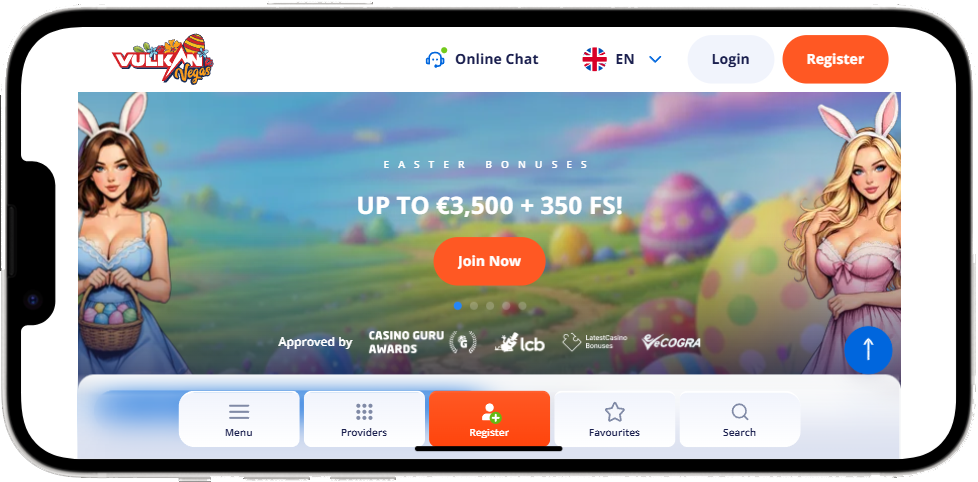
The platform offers two distinct approaches to mobile play: a dedicated Android application and a browser-based version that works across all devices, including iOS. Both routes lead to the same destination — full access to the casino — but the way you get there, and how it feels in use, differ slightly. Understanding those differences is what ultimately determines which option makes more sense for you.

iOS Version: No App, but No Real Limitation
For iPhone and iPad users in New Zealand, there is no standalone Vulkan Vegas app available through the App Store. At first glance, this may seem like a limitation, but in practice, it changes very little.
The mobile browser version of Vulkan Vegas is fully optimized for iOS devices. The interface adjusts to screen size, controls remain responsive, and all core features — from slots and live casino to deposits and withdrawals — are accessible without restriction.
In many cases, the experience is nearly identical to using an app. Pages load quickly, navigation is intuitive, and games run smoothly thanks to modern HTML5 technology. There is no need for installation, updates, or additional storage space on your device.
For most NZ players using iOS, the absence of an app is not a drawback — it is simply a different route to the same functionality.
Android Version: Direct Access Through APK
Android users, on the other hand, have access to a dedicated Vulkan Vegas application. However, it is not available on Google Play, so installation requires downloading the APK file directly from the official website.
This extra step may seem unusual for some users, but it is standard practice for many online casinos. Once downloaded, the installation process is straightforward: you allow installation from unknown sources, open the file, and complete the setup within a minute or two.
The advantage of the Android app lies in convenience. It provides faster access via a home screen icon, slightly faster loading times, and a more “native” feel than using a browser. For players who log in frequently, this small difference becomes noticeable over time.
Functionally, however, the app does not introduce new features. It mirrors the desktop and mobile browser versions almost entirely.
How to Download and Install the Vulkan Vegas App
For NZ players using Android, the process follows a clear sequence. Visit the official Vulkan Vegas website on your mobile device, locate the app download option, and save the installation file. Once the download is complete, you open the file and allow installation permissions if prompted by your system.
After installation, the app appears on your home screen like any other application. From there, you log in using your existing account credentials — no separate registration is required.
The key detail here is source verification. The app should always be downloaded directly from the official website to ensure security and avoid modified or unsafe versions.
Vulkan Vegas App vs Browser: What Actually Changes
At a functional level, there is very little difference between the app and the browser version. Both provide access to the same games, account features, and payment options.
The distinction is more about usability than capability.
The app offers faster entry — a single tap instead of opening a browser and navigating to the site. It may also feel slightly smoother in transitions, as it is built specifically for mobile interaction.
The browser version, on the other hand, requires no installation and works instantly across all devices. It is also easier to access from different devices without needing to repeat the setup process.
For many NZ players, the choice is not about which is better, but which is more convenient in daily use.
Performance and Game Experience on Mobile
Regardless of how you access Vulkan Vegas, game performance remains consistent. Slots load quickly, table games respond smoothly, and live casino streams maintain stable quality as long as the internet connection is reliable.
Mobile optimization is not an added feature — it is built into the platform’s structure. Games adjust automatically to screen size, controls are simplified for touch interaction, and navigation between sections is fluid.
This consistency is particularly important for New Zealand users, where mobile access often replaces desktop entirely. The expectation is not just compatibility, but continuity — the same experience, regardless of device.
Pros and Cons of the Vulkan Vegas Mobile App
The advantages of using the mobile app are mostly practical. It provides quicker access, a more streamlined interface, and slightly improved responsiveness during navigation. For frequent users, these small improvements can make the overall experience feel more efficient.
At the same time, there are limitations. The need to install the app manually may discourage less experienced users, and the absence of an iOS version means that not all players can use it. In addition, the app does not offer exclusive features — everything available there can also be accessed through the browser.
In contrast, the browser version offers flexibility. It works on any device, requires no installation, and is immediately accessible. The trade-off is a slightly less direct entry point, since it requires opening a browser each time.
Final Words: A Matter of Preference, Not Necessity
The Vulkan Vegas mobile setup does not force a decision. It does not push players toward the app or away from the browser. Instead, it provides both options and allows users to choose based on how they prefer to access the platform.
For Android users in New Zealand, the app offers convenience and speed. For iOS users, the browser version delivers the same functionality without compromise.
In the end, the difference is not in what you can do, but in how you choose to do it.